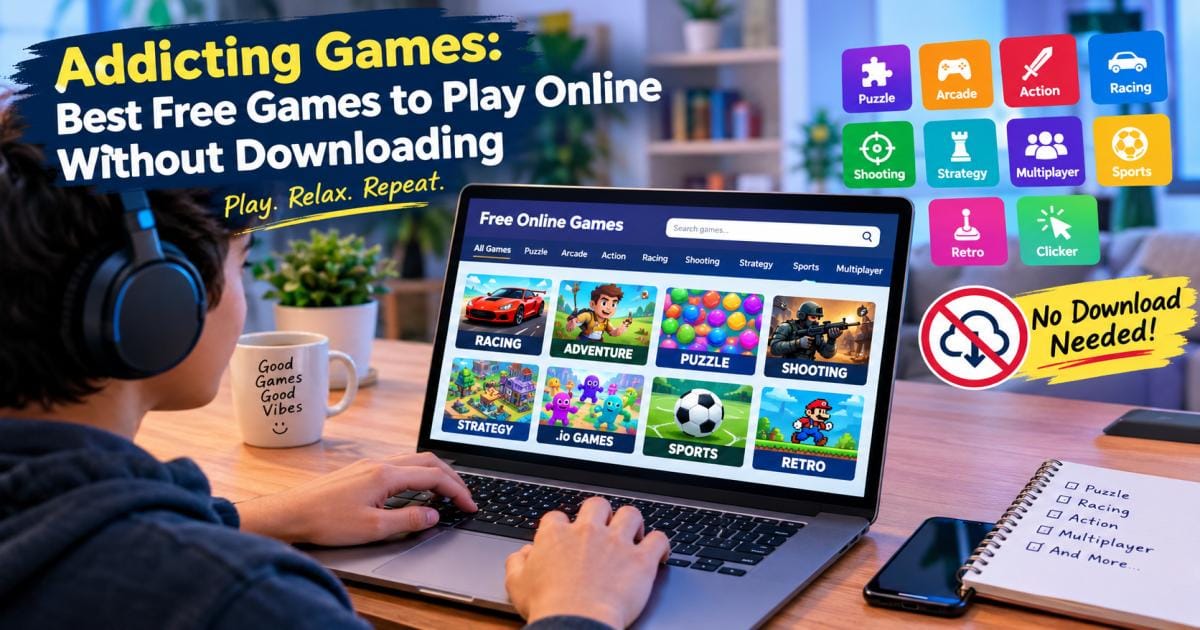

The phrase “addicting games” has two meanings. It can mean AddictingGames, a website that has hosted free browser games since the early 2000s. It can also mean any free game that is hard to put down. This guide covers both.
Why do these games still matter? They are fast. You need a browser and two spare minutes, not a console or a big download. People play them on lunch breaks, in waiting rooms, and on old laptops.
One idea runs through this guide: the short-round loop. The shorter the round, the easier it is to start another one. You will see it again in the sections on quick breaks and on what makes a game sticky.
Below, you will find the main game types, a list of games to try, setup steps for every device, and a safety check.
What Are Addicting Games?
Addicting games are simple, free games you play in a browser. The rules take seconds to learn. A top score takes much longer to earn.
AddictingGames is one of the oldest homes for this style. A business database lists the company as founded in 2002. Its founder, Bill Karamouzis, re-acquired the brand in 2018 after Viacom sold off its subsidiaries, and the site now hosts older games rebuilt in HTML5. Today the site says it offers thousands of free games and adds new ones every Thursday.
Other sites offer the same style of play, so the phrase now describes a whole category of browser games, not one address.
A truly addictive game has three traits:
- It starts fast. No long menus. No sign-up.
- It ends fast. A short round makes a loss sting less.
- It shows progress. A score, level, or streak gives you something to beat.
Why Play Addicting Games Online Without Downloading?
Why do free browser games stay popular in a world of big console titles? Five reasons stand out.
They save time. You click and play. A large PC game can take an hour to install before the first level.
They save space. The game lives on the web, so your storage stays free.
They cost nothing. Most sites typically pay their bills with ads, so you do not pay to play.
They run on weak devices. An older laptop or a school Chromebook can usually handle a browser game. Big 3D titles often cannot run there.
They fit small gaps. Five minutes in a queue is enough. This is the short-round loop at work: a game that fits a gap gets played more often.
Flash also played a part. Adobe ended Flash support at the end of 2020, and many sites rebuilt their old hits in HTML5. That format works on phones and tablets, which Flash never handled well.
Best Types of Addicting Games to Play Online
Which style fits you? Here is a quick tour.
Puzzle and Brain Games
Puzzle games test logic and memory. You match colors, slide tiles, or spot what changed. AddictingGames lists daily brain teasers such as Spot the Difference Daily, plus a geography quiz called 50 States where you place each US state on a map. Puzzles suit calm play and short sessions.
Arcade Games
Arcade games are fast and score-based. You dodge, jump, and collect. The goal is a better score than last time. They work well when you have only a minute.
Action and Adventure Games
These add story, levels, and boss fights. Many are point-and-click games where you solve small problems to move forward. They take longer than arcade games, but you can usually replay a level.
Racing and Car Games
Racing games range from drift tracks to stunt courses. On a computer, most use arrow keys or WASD. On a phone, they use touch or tilt. Pick one if you want speed without a steep learning curve.
Shooting Games
Browser shooters range from target practice to full 3D arenas. The site describes Venge.io as a free .io game. Shooters work best on a computer because mouse aiming beats thumb aiming.
Strategy Games
Strategy games ask you to plan. You might defend a base in a tower defense game or grow a small town. Rounds run longer, but you can pause and think. Turn-based titles suit slow play.
Multiplayer and .io Games
.io games drop you into a shared arena with real players. You start small and grow. Rounds are short, and the scoreboard is public, which makes the win feel personal. Use a nickname, not your real name.
Sports Games
Sports games cover soccer, basketball, golf, pool, and more. Controls are usually simple: aim, set power, and go. They suit friendly rivalry.
Classic and Retro Games
Snake, Tetris, Minesweeper, and Solitaire all live on the web. They last because the rules are clear and the loop is tight. One roundup of free browser games names 2048, Tetris, and idle clickers as some of the most habit-forming picks.
Casual and Clicker Games
Clicker and idle games take the least effort. You tap, buy upgrades, and watch numbers climb. AddictingGames lists an idle RPG where you farm, battle, research, and rebirth for new power. These games can swallow hours, so set a limit.
Best Free Addicting Games to Try
What should you play first? The first seven picks below appear on AddictingGames. The last three are classics that many sites host.
| Game | Type | Why try it |
| Nelly Jellies | Puzzle / arcade | Aim, launch, and match colors to find rare jellies |
| Venge.io | .io shooter | Fast rounds against real players |
| Capitals of Europe | Trivia | Quick and free, with no setup |
| Spot the Difference Daily | Brain teaser | A new puzzle each day, scored by speed |
| 50 States | Geography quiz | Place each US state on a map |
| Idle Zoo | Idle / clicker | Low effort, steady progress |
| Nyan Cat FLY | Arcade | Easy to learn, hard to master |
| 2048 | Puzzle | Slide and merge tiles for a high score |
| Tetris-style block games | Classic | Endless replay value |
| Snake | Classic | Simple, fast, and fair |
Game lineups change often. If a title is gone, search the same genre on the site, and you will find close matches. The site marks some listings as demos, so expect a few short previews of larger games.
How to Play Addicting Games Without Downloading
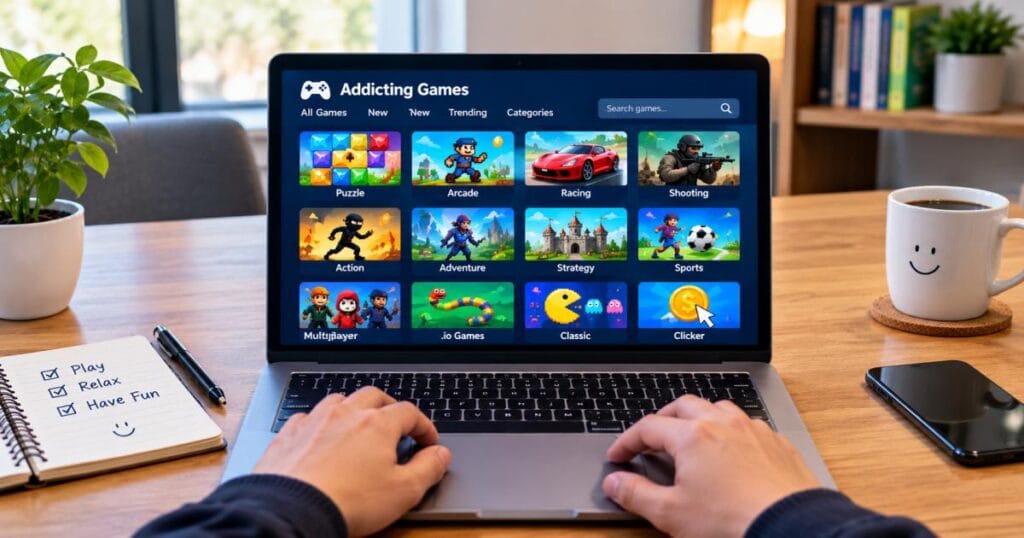
How do you start? The steps are nearly the same on every device:
- Open an up-to-date browser.
- Go to a trusted game site.
- Pick a game from a category or search bar.
- Click play.
Here are the extra notes for each device.
On a Windows or Mac Computer
Use Chrome, Edge, Firefox, or Safari. Most games use the keyboard and mouse. If a game runs slowly, close other tabs first. Full-screen mode often helps. You need no plug-in, since HTML5 games run natively.
On a Chromebook
Are Chromebook games a good fit? Yes. Chromebooks run Chrome, and most browser games work well in it. Some school-managed devices block game sites, though. Sites that advertise “unblocked games” usually mean the pages load on open networks, not that they beat school rules. If a page will not load at school, ask your teacher or admin, or play at home.
On an iPhone or iPad
Open Safari or Chrome and visit the site. Rotate to landscape for a bigger view. The site’s category list includes tags such as Mobile, HTML5, and Instant, and those tags help you find touch-friendly games. In Safari, tap Share, then “Add to Home Screen” for a one-tap shortcut. Older games built for a mouse may feel awkward on touch.
On Android Phones and Tablets
Open Chrome and visit the site. Tap the three-dot menu and choose “Add to Home screen.” Landscape mode helps with small controls. You never need to install an app from a game page. If a page pushes you to install one, close it.
Are Addicting Games Really Free?
Yes, the games themselves are free. Sites typically earn money from ads and sponsors. The AddictingGames menu, for example, includes Advertising and “Submit your game” links, which point to an ad-and-developer model, not a paywall.
Still, check three things:
- Ads. Expect banners and short video ads between rounds.
- In-game buys. Some games offer optional coins or boosts. You can usually skip them.
- Demos. A few titles preview a larger paid game.
A free browser game should never ask for a card number to start. If one does, leave.
Are Addicting Games Safe to Play?
Are browser games safe? Games on known sites are generally safe. The bigger risks come from copycat sites and pushy ads. These habits keep you protected:
- Check the address. Confirm the real domain and look for HTTPS.
- Never download to “play.” A true browser game needs no file. If a pop-up asks for one, close the tab.
- Ignore fake alerts. Ads that say “Your device is infected” are traps.
- Guard your details. Skip your real name, school, or address in chat-based .io games.
- Update your browser. Updates patch known security holes.
For kids, sit nearby for the first few sessions. Ads and open chat are the two things to watch.
How to Find Good Addicting Games
How do you tell a good game from a dud? Use this routine:
- Browse by tag. The site sorts games into tags such as Arcade, Puzzle, Racing, Strategy, Multiplayer, and Tower Defense.
- Check the fresh and featured picks. The site updates weekly, so new titles show up often.
- Look at plays and leaderboards. Many plays and a live scoreboard usually mean the game works well.
- Give it two minutes. If it is not fun by then, move on.
- Compare a few sites. Arkadium, Poki, and CrazyGames host similar libraries.
- Ask a friend. A game a friend beat you at is a game you will replay.
Addicting Games for Different Players
Games for Quick Breaks
Choose short-round games: 2048, Snake, a daily puzzle, or a one-minute arcade run. The short-round loop is the whole point here. A round ends before your break does.
Games for Kids and Families
Look for gentle puzzles, matching games, drawing, and trivia. Skip open chat and violent shooters. Geography and capital-city quizzes teach while they entertain.
Games for Adults
Adults often like strategy, word puzzles, solitaire, and idle games. These are calm and easy to pause when work calls.
Games for Two Players
Many browser games offer a shared-keyboard mode. One player uses the arrow keys and the other uses WASD. Pool, air hockey, and simple fighters work well.
Games for Competitive Players
Pick games with public leaderboards or live opponents. .io arenas and daily challenges suit you best because your rank shows how much you improve.
Addictive Games on Mobile vs. Desktop
Which is better? Both work. Each has strengths.
| Factor | Mobile | Desktop |
| Start speed | One tap | One click |
| Controls | Touch and tilt | Keyboard and mouse |
| Best for | Puzzles, clickers, casual play | Shooters, racing, strategy |
| Screen | Small | Large |
| Game choice | Fewer (mostly HTML5) | Wider |
| Battery | Can drain fast | Not an issue |
If a game feels clumsy on your phone, it was probably built for a mouse, so try it on a computer. For a quick break in a queue, your phone wins.
What Makes a Browser Game Addicting?
Why can’t you stop after one round? Several simple design tricks stack together.
Short rounds. This is the core of the short-round loop. When a round lasts ninety seconds, starting again feels cheaper than quitting. One review of habit-forming free games points to short feedback loops, visible progress, variable rewards, and low commitment per round.
Near misses. “I was so close” pulls hard. You blame your mistake, not the game.
Clear progress. Levels, stars, and high scores prove you are improving.
Surprise rewards. A rare item keeps you curious. The site ran an event where rare jellies were 50% more common in Nelly Jellies for a week in September.
Low effort. No sign-up, no install, no plan. Nothing stands between you and the next round.
None of this is harmful on its own. But if a game starts to crowd out sleep, school, or work, set a timer. Stop after a set number of rounds, not when you feel like stopping.
Final Thoughts
Addictive games are free, fast, and easy to reach. You open a tab, pick a game, and play. No download. No fee. That simple deal has kept the style alive for roughly two decades, through the end of Flash and the rise of phone apps.
Match the type to your mood. Play puzzles to think, arcade games to unwind, and .io games to compete. Stay on trusted sites, skip file downloads, and set a timer so the short-round loop does not eat your evening.
Pick one or two games from the list above and try them today. If they click, plenty more sit a tag away.
FAQs
What are addicting games?
Addicting games are free online games with short rounds and simple rules, built to bring you back for one more try. They include puzzle, arcade, racing, .io, and clicker games. The name also refers to the AddictingGames website, which hosts thousands of them.
Can I play Addicting Games without downloading anything?
Yes. Nearly all of them run inside your browser. Open the page, click play, and start. If a site asks you to download a player or file first, close it. A real browser game does not need one.
Are Addicting Games free?
Yes. The games are free to play, and sites typically pay their costs through ads. Some games offer optional in-game extras, but you can play without buying. Leave any game that asks for payment details before you start.
Can I play Addicting Games on my phone?
Yes. Open Chrome or Safari and visit the site. Look for games tagged Mobile or HTML5, since they handle touch best. Older mouse-based games may feel awkward on a small screen. A home-screen shortcut makes launching easier.
What types of games are available?
The main types are puzzle, arcade, action, racing, shooting, strategy, sports, classic, multiplayer .io, and idle or clicker games. The site’s tag list also includes Match 3, Mahjong, Tower Defense, and Educational, so you can narrow your search.
Do Addicting Games work on Chromebook?
Yes. Chromebooks run Chrome, and most browser games work well on them. Some school-managed Chromebooks block game sites. That is a school setting, so check with your admin instead of trying to get around it.
Are there multiplayer addicting games?
Yes. .io games are the best-known example, and they put you in a live arena with real players. The site’s tags include Multiplayer, Team, and Free For All. Use a nickname and keep personal details out of chat.
How do I find new games to play?
Browse by category, check featured and daily picks, and sort by popularity. The main site says it updates every Thursday, so a weekly visit turns up fresh titles. Sister sites like Arkadium and Poki also widen your options.