
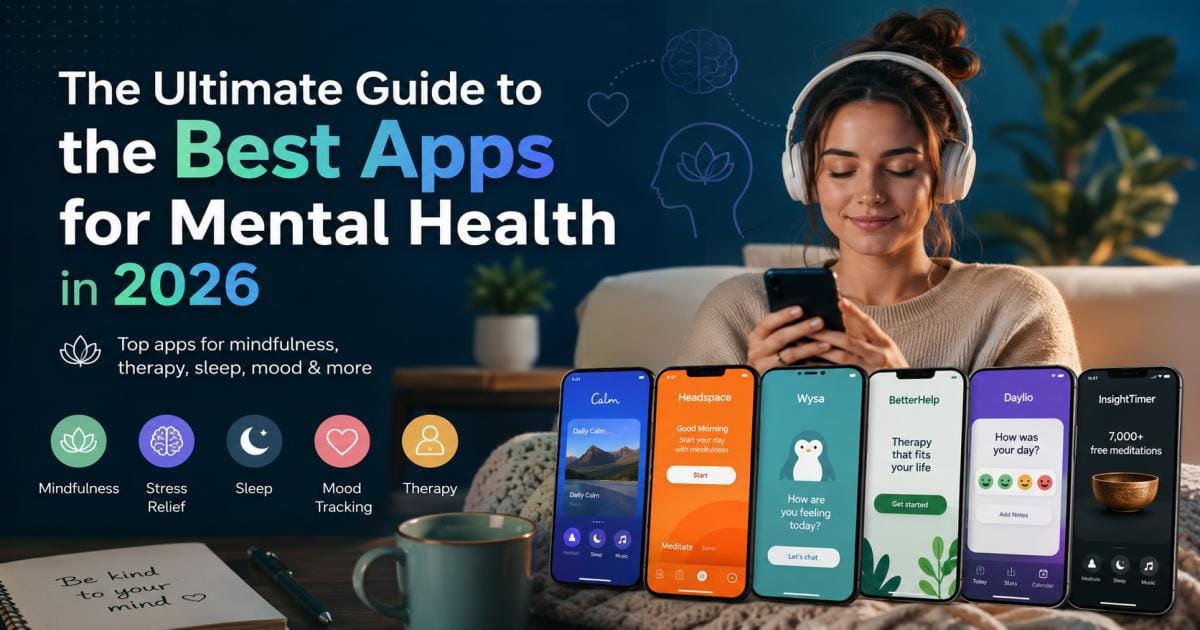

If you want the best apps for mental health to lower your stress, track your daily moods, or find professional therapy, the top options for 2026 are Headspace for structured meditation, Wysa for quick AI coping support, and BetterHelp for live video sessions with real counselors. These mobile programs give you instant support right on your phone. They make daily self-care simple and affordable for users around the globe, including people living in Egypt and across the Middle East.
This guide looks at the top choices this year, breaks down how they work, and helps you select the perfect one for your daily routine.
What Are Mental Health Apps?
Mental health apps are mobile programs built to support your emotional and psychological well-being. They run on iPhones, Android devices, and tablets, putting helpful tools directly into your pocket. These resources make mental wellness care more affordable and private for everyone.
How Mental Health Apps Work
Most mental health programs turn proven psychological methods into short, interactive smartphone exercises. When you open the software, it usually asks you to pick a goal or log your current mood.
Based on your answers, the system suggests a path forward. This might be a five-minute audio guide, a deep-breathing screen, or a fast journaling prompt. Some platforms connect you to real human professionals through text or video, while others use automated chat systems to guide you through tough moments when you feel overwhelmed.
Types of Mental Health Apps
The digital wellness market contains several different categories of software:
- Meditation and Mindfulness Tools: These offer breathing exercises and quiet audio tracks to reduce panic and keep you in the present moment.
- Cognitive Behavioral Therapy (CBT) Programs: These teach you to catch negative thinking patterns and reframe them into healthier thoughts.
- Mood Logs and Diaries: Simple tracking tools where you record your emotions and daily habits to find hidden triggers.
- Online Therapy Networks: Virtual clinics that match you with real, licensed human counselors for ongoing video or text sessions.
- Gamified Self-Care Software: Tools that turn simple habits like drinking water or sleeping on time into fun games to keep you motivated.
Do Mental Health Apps Actually Work?
Yes, these applications work well for daily stress, mild anxiety, and habit building if you use them consistently. They act as an excellent first step for personal self-care.
What Scientific Research Says
Clinical data shows that mobile health tools can make a real difference. Studies published in journals like The Lancet Digital Health show that mobile tools using CBT principles help lower symptoms of mild depression and stress. Researchers find that having a tool on your phone allows you to manage panic before it turns into a major crisis.
Benefits Backed by Evidence
- Instant Help: You can open a calming tool at 2:00 AM without waiting weeks for an open clinic appointment.
- Privacy: Many people, especially in regions like Egypt, worry about the social stigma of visiting a mental health clinic. Mobile tools let you get support in complete privacy.
- Low Cost: Phone programs cost a small fraction of traditional office visits, and many have excellent free tiers.
- Clear Patterns: Logging your daily routine helps you see exactly how skipping meals or losing sleep ruins your mood.
Limitations You Should Know
- High Drop-out Rates: On average, many users stop opening these programs after the first two weeks because no one is holding them accountable.
- Not for Severe Crises: Phone tools are not built to handle severe clinical emergencies, deep trauma, or thoughts of self-harm.
- No Human Context: A computer code cannot understand your unique cultural background or personal life story the way a live human counselor can.
How We Selected the Best Apps for Mental Health
We compared dozens of platforms against strict standards to ensure you get safe, helpful, and reliable recommendations.
Clinical Credibility
We checked if the app uses solid psychological systems like CBT, Dialectical Behavior Therapy (DBT), or peer-reviewed meditation research. We prefer tools built alongside real doctors and psychologists.
Privacy and Data Security
Mental data is highly private. We read the privacy policies to make sure the software encrypts your logs, lets you delete your history, and does not sell your private information to advertisers.
User Experience
An interface that is confusing or full of ads will increase your stress. We chose programs that are clean, easy to read, and calming to look at.
Features
We tested the depth of each program. We looked for high-quality audio files, smart tracking tools, and helpful interactive screens.
Pricing
We looked for fair pricing. If an app costs money, the features must match the price. If it claims to be free, the unpaid version must be genuinely useful.
Platform Availability
Every tool on our list runs smoothly on both iOS and Android systems so that anyone can use them.
User Reviews
We read thousands of real comments on the App Store and Google Play Store to check for annoying bugs, billing issues, or real success stories.
Regular Updates
We only recommend software that developers actively maintain and update for the latest phone operating systems.
Accessibility
We looked for clear text sizes, clean audio guides, and simple buttons that make the software easy to use for everyone.
Quick Comparison Table of the Best Apps for Mental Health
| App Name | Best For | Focus Area | Price |
| Headspace | Beginners | Guided Meditation | $12.99/mo or $69.99/yr |
| Calm | Sleep | Stories & Sounds | $14.99/mo or $69.99/yr |
| Wysa | Quick Venting | AI Chat & CBT | Free basic; Premium from $11.99/mo |
| BetterHelp | Real Therapy | Live Human Counseling | $65 to $90/week (billed monthly) |
| Talkspace | Insurance Users | Clinical Therapy | Starts at $69/week |
| Daylio | Quick Tracking | Icon Mood Diary | Free basic; Premium $4.99/mo |
| Bearable | Health Insights | Symptom & Mood Maps | Free basic; Premium $4.99/mo |
| Moodfit | Mental Habits | Daily Goals & CBT | Free basic; Premium $8.99/mo |
| Insight Timer | Free Content | Large Audio Library | Free; Premium features for $59.99/yr |
| Sanvello | Anxiety Relief | CBT Journeys & Community | Free basic; Premium $8.99/mo |
| Reflectly | Evening Journaling | AI Prompts | Free basic; Premium $9.99/mo |
| BetterSleep | Fighting Insomnia | Custom Sound Mixes | Free basic; Premium $59.99/yr |
| Finch | Fun Self-Care | Virtual Pet Care | Free basic; Premium $39.99/yr |
| Stoic | Mental Strength | Philosophy & Logs | Free basic; Premium $37.99/yr |
| Twill Care | Negative Thoughts | Science Games | Free basic; Premium $14.95/mo |
The 15 Best Apps for Mental Health in 2026
Headspace
- Overview: A famous meditation tool that uses cute, colorful animations to make mindfulness clear and simple.
- Best For: Beginners who want to learn how to meditate every day.
- Key Features: Daily guided tracks, focus music, short stress sessions, and wind-down sleep audio.
- Pros: Very friendly interface; explains tricky concepts using simple language.
- Cons: The free version has almost nothing in it; annual plans cost a lot upfront.
- Pricing: 7-day free trial, then $12.99/month or $69.99/year.
- Platforms: iOS, Android, Web.
- Privacy Highlights: Keeps your account safe; does not share your private mood metrics with outside ad networks.
- Why We Recommend It: Headspace makes mindfulness easy. It teaches you exactly how to watch your thoughts without judging them, using methods proven by clinical research.
Calm
- Overview: A visually beautiful application focused on calming soundscapes, deep relaxation, and sleep health.
- Best For: People dealing with heavy insomnia or evening stress.
- Key Features: Bedtime stories read by celebrities, breathing clocks, masterclasses, and nature soundtracks.
- Pros: Incredible audio quality; massive library of white noise and ambient music.
- Cons: Can feel cluttered because of the huge amount of content; needs a paid plan for most features.
- Pricing: 7-day free trial, then $14.99/month or $69.99/year.
- Platforms: iOS, Android.
- Privacy Highlights: Standard commercial encryption; lets you ask the company to delete your data history.
- Why We Recommend It: If your thoughts race the moment your head hits the pillow, Calm’s bedtime stories will help soothe your nervous system into deep sleep.
Wysa
- Overview: An smart AI penguin friend that uses a private text chat screen to give you fast behavioral therapy tools.
- Best For: Immediate stress relief and venting your thoughts at any time.
- Key Features: 24/7 AI chat conversations, a bank of 40+ CBT exercises, and emergency safety plans.
- Pros: Very sympathetic text responses; the free toolset is highly generous.
- Cons: The text chats can start to feel repetitive after a few months of daily use.
- Pricing: Free basic version; full premium tools start at $11.99/month.
- Platforms: iOS, Android.
- Privacy Highlights: High anonymity; you do not even have to type your real name to use the AI chat.
- Why We Recommend It: Wysa offers a judgment-free space to talk out your problems. It listens carefully and guides you through reframing exercises to stop negative loops.
BetterHelp
- Overview: The largest online therapy network in the world, matching users directly with professional human counselors.
- Best For: Comprehensive professional therapy from the comfort of your home.
- Key Features: Weekly live video or phone chats, unlimited text messaging with your therapist, and digital journals.
- Pros: Huge network of experts; very easy to switch to a new counselor if you do not click.
- Cons: Costs much more than self-guided tools; does not take standard health insurance.
- Pricing: Billed monthly at $65 to $90 per week (varies by location).
- Platforms: iOS, Android, Web.
- Privacy Highlights: Fully encrypted chats; follows strict digital safety rules for counseling data.
- Why We Recommend It: When self-help programs are not enough, BetterHelp connects you to an expert counselor quickly, avoiding long local clinic lines.
Talkspace
- Overview: A direct therapy competitor that focuses heavily on working alongside major health insurance plans.
- Best For: Users who want remote therapy covered by their employer or insurance provider.
- Key Features: Live video sessions, text and voice messages, couples therapy, and psychiatric care in select areas.
- Pros: Works with many international insurance systems; offers medical prescription checks.
- Cons: How fast your therapist texts you back depends on their individual daily schedule.
- Pricing: Plans start around $69/week out-of-pocket, but drops depending on your insurance.
- Platforms: iOS, Android, Web.
- Privacy Highlights: A fully medical-grade platform ensures your private clinical files stay secure.
- Why We Recommend It: It connects mobile ease with traditional medical systems, making real clinical support highly structured and safe.
Daylio
- Overview: A mood tracking app that lets you log your full day using simple icons instead of writing long entries.
- Best For: Quick mood tracking for busy people who hate writing.
- Key Features: Custom habit icons, automatic statistical charts, and goal trackers.
- Pros: Takes less than 10 seconds a day to update; highly customizable.
- Cons: Entirely self-directed; does not give you mental exercises or direct advice.
- Pricing: Free basic version; Premium subscription costs $4.99/month.
- Platforms: iOS, Android.
- Privacy Highlights: Stores data locally on your phone; lets you secure the app with a private PIN or fingerprint lock.
- Why We Recommend It: Daylio shows you how your lifestyle choices hit your mood. It gives you clear data proof if your mood drops on days you miss exercise or skip meals.
Bearable
- Overview: A highly detailed tracking tool built to help you see how your physical health, sleep, and habits affect your mind.
- Best For: Individuals with chronic pain, long-term health issues, or complex mood patterns.
- Key Features: Grids to track symptoms, energy, food, sleep, medications, and mental states.
- Pros: Deep data correlation charts; generates reports you can show to your real doctor.
- Cons: The busy screen layout can feel slightly overwhelming when you first look at it.
- Pricing: Free basic version; Premium subscription costs $4.99/month or $27.99/year.
- Platforms: iOS, Android.
- Privacy Highlights: Secure cloud storage with clear options to export or delete your files.
- Why We Recommend It: Mental wellness is deeply tied to physical health. Bearable acts like a data assistant for your body, finding trends that simpler tools miss.
Moodfit
- Overview: Designed like a workout tracker but built for your brain, focusing on daily habits to keep you sharp.
- Best For: Goal-driven people who like checkmarks, charts, and daily routines.
- Key Features: Daily goal checklists, CBT thought records, breath timers, and sleep track grids.
- Pros: Puts multiple self-care tools into one app; highly practical.
- Cons: The style is very plain and looks more like a business app than a relaxing space.
- Pricing: Free basic version; Premium subscription is $8.99/month or $39.99/year.
- Platforms: iOS, Android.
- Privacy Highlights: Password-protected data keeps your private goals and checklists secure.
- Why We Recommend It: Moodfit treats mental health like physical fitness. It gives you the structure you need to actively practice emotional control every single day.
Insight Timer
- Overview: A massive community platform that hosts the largest library of free mindfulness audio tracks online.
- Best For: Budget-conscious users who want endless meditation variety without paying anything.
- Key Features: Over 100,000 free audio tracks, a clean meditation timer, and live global teacher events.
- Pros: The free plan is incredibly helpful; you can filter tracks by time, topic, or speaker.
- Cons: The massive library makes it hard to find high-quality tracks without searching for a while.
- Pricing: Free tier holds almost all audio tracks; Member Plus features cost $59.99/year.
- Platforms: iOS, Android.
- Privacy Highlights: Standard privacy rules; lets you hide your profile activity from other community members.
- Why We Recommend It: This is the ultimate budget-friendly tool. If you cannot afford commercial subscriptions, Insight Timer gives you thousands of guided tracks for free.
Sanvello
- Overview: A highly clinical app built directly around CBT principles to help manage chronic anxiety and depression.
- Best For: People who want a structured, academic approach to breaking stress loops.
- Key Features: Daily mood check-ins, guided CBT progress paths, breathing tools, and safe user chat boards.
- Pros: Highly professional modules; helpful peer-to-peer message boards.
- Cons: The screen can occasionally load slowly when syncing your data to the cloud.
- Pricing: Free basic features; Premium plans cost $8.99/month.
- Platforms: iOS, Android.
- Privacy Highlights: Audited for data safety; uses secure lines to transmit your personal history logs.
- Why We Recommend It: Sanvello teaches you the exact cognitive methods used by real therapists. It helps you understand the mechanical patterns behind your anxiety so you can fix them.
Reflectly
- Overview: A modern digital diary that uses AI prompts to ask you specific questions about your day every evening.
- Best For: People who want to journal but struggle to start when looking at an empty white screen.
- Key Features: AI-driven writing prompts, personal mood charts, and daily motivational quotes.
- Pros: Sleek, modern, minimalist design; questions encourage deeper, honest reflection.
- Cons: Frequently shows pop-up ads pushing the paid plan if you use the free version.
- Pricing: Free basic version; full access costs $9.99/month.
- Platforms: iOS, Android.
- Privacy Highlights: Passcode-protected app shell to keep your diary entries safe from people looking at your phone.
- Why We Recommend It: Reflectly makes journaling feel like an easy conversation. Its targeted questions push you to unpack your day, turning raw venting into clear personal insight.
BetterSleep
- Overview: A sleep optimization tool that lets you mix your own background sounds to clear your mind at night.
- Best For: People dealing with sudden insomnia who need a relaxing bedroom environment.
- Key Features: Audio mixer (combine rain, wind, fans, and instruments), sleep clocks, and bedtime tales.
- Pros: Total freedom to build custom sounds; excellent deep sleep meditation tracks.
- Cons: The sleep tracking tools can drain your phone battery if left on all night.
- Pricing: Free basic version; Premium subscription costs $59.99/year.
- Platforms: iOS, Android.
- Privacy Highlights: Standard commercial policy; does not share your private audio choices with outside agencies.
- Why We Recommend It: Sleep is the baseline for your mental health. BetterSleep gives you complete control over your bedtime environment, helping drop your heart rate for sound rest.
Finch
- Overview: A wholesome self-care app where taking care of your daily habits helps a cute virtual pet bird grow.
- Best For: Students, teens, and anyone finding it hard to do basic chores due to low energy.
- Key Features: A virtual pet companion, integrated gratitude lists, breathing games, and simple task sheets.
- Pros: Completely warm and kind; rewards you for small tasks without any guilt.
- Cons: The game layout might feel a bit too youthful or simple for older users.
- Pricing: Highly functional free plan; optional Finch Plus features cost $39.99/year.
- Platforms: iOS, Android.
- Privacy Highlights: Excellent privacy focus—by default, your journal entries stay saved directly on your phone hardware.
- Why We Recommend It: When you are deeply depressed, even brushing your teeth feels heavy. Finch rewards you for these micro-victories, helping you build positive life momentum.
Stoic
- Overview: A minimalist mental journal based on ancient Stoic philosophy, focusing entirely on what you can control.
- Best For: Thinkers who want a logical, clear-cut framework to build mental toughness.
- Key Features: Morning prep sheets, evening reviews, fear-setting tests, and minimalist breathing screens.
- Pros: Beautiful monochrome style; incredibly practical prompts for emotional control.
- Cons: Focuses purely on one philosophy, which may not appeal to every reader.
- Pricing: Free basic features; Premium subscription costs $37.99/year.
- Platforms: iOS, Android.
- Privacy Highlights: Supports private local encryption keys to keep your journal files strictly under your control.
- Why We Recommend It: Stoic cuts through emotional clutter. It teaches you to view problems through a cold, logical lens, helping you stay steady during stressful life changes.
Twill Care (Happify)
- Overview: A tool that transforms positive psychology and neuroscience into short, playable phone games and brain tracks.
- Best For: Breaking old patterns of constant worry and negative self-talk.
- Key Features: Specialized paths for life stressors, brain training games, and progress tracking graphs.
- Pros: Fun, engaging gamified setup; backed by deep studies in positive neuroscience.
- Cons: You can lose interest once the mini-games start to feel repetitive after a month.
- Pricing: Free basic paths; Premium updates cost $14.95/month.
- Platforms: iOS, Android, Web.
- Privacy Highlights: High enterprise data safety keys used to protect your psychological profile files.
- Why We Recommend It: It changes how you train your mind. Instead of reading dense articles, you play quick games designed to actively teach your brain to spot opportunities over threats.
Best Mental Health Apps by Category
If you want a fast recommendation for a specific issue or lifestyle, these are the leading tools across individual areas:
Best App for Anxiety: MindShift CBT
This completely free application, built by Anxiety Canada, focuses directly on panic and worry. Its quick “coping cards” give you fast, actionable ways to stop an active anxiety loop.
Best App for Depression: Twill Care (Happify)
Its structured tracks focus on breaking negative thought cycles and building up your ability to feel joy using simple psychological mini-games.
Best Meditation App: Headspace
Headspace stays ahead of the pack for clear learning. It takes you by the hand and teaches you mindfulness step-by-step with zero confusing language.
Best Mood Tracking App: Daylio
Its button-based design means you do not have to type a single word. It builds clear monthly graphs that display your exact emotional trends.
Best Sleep App: Calm
With its deep library of celebrity bedtime stories and beautiful ambient soundscapes, it is the top choice to quiet an overactive mind at night.
Best CBT App: Sanvello
Sanvello turns complex cognitive behavioral therapy into clear, daily interactive tasks that help you understand your brain’s habits.
Best AI Mental Health App: Wysa
Wysa’s AI chatbot reacts with genuine empathy. It listens without judging you and pulls the exact tool you need from its medical database right when you feel stressed.
Best Online Therapy App: BetterHelp
With its massive global network of real, accredited experts and simple video call screens, it remains the clear choice for virtual human therapy.
Best Free Mental Health App: Insight Timer
While other companies lock their top files behind expensive subscriptions, Insight Timer opens up more than 100,000 high-quality tracks completely free.
Best App for Students: Finch
Finch makes daily self-care a fun game rather than another heavy assignment. Stressed students love its kind, non-judgmental approach to habit building.
Best App for Teens: MindShift CBT
Teens want practical answers, not abstract lectures. MindShift gives them direct ways to handle social stress, school pressure, and test anxiety.
Best App for Adults: Moodfit
Moodfit treats mental health like a trip to the gym, providing working adults with a flexible checklist to track stress, sleep, and nutrition together.
Best App for Workplace Stress: Headspace
Headspace has specific three-minute emergency tracks built to lower office burnout, pre-meeting panic, and mid-day fatigue.
How to Choose the Best Mental Health App
With hundreds of choices on the app stores, you can find the right match by following these simple checks:
Identify Your Goal
Be precise about what you need. Are you trying to pinpoint your mood triggers? Choose Daylio. Do you want to stop a panic attack right now? Open Wysa or MindShift. Do you want to learn to sit quietly? Try Headspace. Matching the tool to your exact challenge saves you time.
Check Clinical Backing
Look closely at the app’s store description. Does it mention work with real doctors, research centers, or universities? Stick to programs built on validated methods like CBT or peer-reviewed mindfulness studies.
Review Privacy Policies
Do not skip this. Make sure the app clearly states that it encrypts your data and will not sell your personal journal notes to outside advertising firms.
Compare Subscription Costs
Many platforms claim they are free to download but lock everything useful behind a paywall. Check the real costs beforehand to ensure the price fits your personal budget.
Test Free Features First
Never pay for a premium subscription immediately. Use the free basic version or a trial week first. Watch how the colors, sounds, and text make you feel; if it annoys you, delete it and try a different one.
Consider Language and Region
If you live in Egypt or the wider Middle East, ensure the app works smoothly in your location. Check if it handles your payment methods easily or offers local language options.
Look for Accessibility Features
If you have visual or physical needs, ensure the app has text scaling, clear audio options, and simple menus that do not require fast or complex finger taps.
Free vs Paid Mental Health Apps
Knowing what you get at different price points will help you avoid accidental credit card charges.
What You Get for Free
Free versions usually offer plain timers, standard mood logs, text diary fields, and public chat forums. They work great for basic habit tracking and daily mindfulness maintenance.
Premium Features Worth Paying For
Paid subscriptions unlock deep courses, personalized data analysis, celebrity audio libraries, and direct communication with human health coaches. Paid tiers are worth it if you need a structured, personalized mental development path.
Which Option Is Best?
- Pick a Free App if you just want to track your basic mood patterns, write down your thoughts, or use a plain meditation timer.
- Pick a Paid App if you are fighting deep negative habits, heavy insomnia, or want customized psychological guidance.
Mental Health Apps vs Traditional Therapy
It is important to know where mobile software fits within the wider healthcare system.
Key Differences
Traditional therapy connects you with a real, licensed human specialist who listens to your voice, alters their clinical tools for your exact life context, and keeps you accountable. Phone tools are self-paced, use uniform code, and cannot see you, but they cost far less and stay open 24/7.
When an App Is Enough
A mobile tool works great as a standalone choice if you want to handle standard work stress, build a better bedtime routine, log your daily habits, or practice simple breathing. Think of it like a gym membership for your mind.
When Professional Help Is Recommended
You must reach out to a real doctor or human therapist immediately if your mental distress stops you from working, eating, or maintaining relationships, or if you face deep trauma or thoughts of self-harm. Software cannot replace clinical medical care during a serious crisis.
Privacy and Data Security: What to Know Before Downloading
Because you are putting your private thoughts into a mobile device, you must stay cautious about data safety.
Data Collection Practices
Many basic apps record your location, how long you stay on your phone, your device type, and your mood choices. Trustworthy companies state this openly, while low-quality apps might sell anonymous user trends to large advertising firms.
HIPAA and GDPR Rules
If you use telehealth systems like Talkspace, check for official HIPAA compliance, which is the gold standard rule for medical data safety. If you use apps globally, look for GDPR settings, which give you the legal right to force a company to delete all your personal data files forever.
Permissions to Watch For
Be careful about what an app asks for when you download it. A meditation tool needs notification access to send you daily reminders, but it does not need access to your physical contact list, your phone’s microphone, or your personal photo gallery. Turn off unnecessary permissions in your device settings.
How to Protect Your Information
- Use a strong, unique password for your wellness accounts.
- Turn on internal app locks (like PIN codes or fingerprint checks) to keep your diaries safe if someone borrows your phone.
- Avoid typing sensitive identifiers like your bank details or national ID numbers into open journal text fields.
Common Mistakes People Make When Choosing Mental Health Apps
- Expecting an Overnight Fix: Rebuilding your mental habits takes time. Many users delete a tool after three days because they do not feel instantly happy. Give the exercises time to work.
- Downloading Too Many Apps: Installing four or five tracking and breathing tools at once creates notification clutter and causes more daily stress. Choose one app and stay with it for two weeks.
- Ignoring Data Settings: Forgetting to lock your app can cause your private journal notes to sync onto shared home tablets or family screens.
- Following Social Media Hype: Just because a tool is trending online does not mean its visual style or tone matches your personality. Trust how you feel while using the interface.
Tips to Get the Most Value from a Mental Health App
To turn a simple download into real lifestyle improvements, use these practical steps:
Build a Daily Routine
Treat your app like brushing your teeth. Open it at the exact same time every day, like five minutes right after your morning coffee, or ten minutes before you turn off the bedroom lights. Regular habits build stronger neural paths than random, long sessions.
Enable Helpful Reminders
Life gets busy fast. Use the app’s push notifications to send you silent, gentle cues during the day to breathe, fix your posture, or log your evening mood before you sleep.
Track Progress Consistently
Do not skip your logs on bad days. Recording your feelings when you are angry, sad, or deeply stressed gives the app the exact data it needs to map out your underlying triggers over time.
Combine with Healthy Lifestyle Habits
Mobile software is not a magical cure. To get the best results, use your wellness apps alongside foundational real-world habits:
- Get 7 to 9 hours of restorative sleep every single night.
- Get at least 150 minutes of moderate cardio exercise per week to burn off physical stress chemicals, as recommended by the American Heart Association.
- Drink plenty of water and take regular breaks away from glowing computer monitors and televisions.
Know When to Seek Professional Support
Evaluate your progress honestly every few weeks. If you notice that your anxiety or depression symptoms continue to grow heavier and disrupt your life despite daily app use, take that as a clear sign to reach out to an accredited human therapist or medical doctor.
Frequently Asked Questions (FAQ)
Can mental health apps replace therapy?
No, phone programs cannot replace real, human-to-human therapy. They are built for preventative care, daily habit tracking, and basic stress relief. If you face deep psychological trauma or a severe clinical crisis, you need to see a licensed professional.
Are mental health apps safe to use?
Yes, most top-rated apps are safe and highly helpful. However, safety depends on data handling. Stick to well-known developers, read the privacy fine print, and block apps that demand access to your private photo folders or phone contacts.
Which mental health app protects privacy the best?
Tools that keep your journal logs stored locally on your physical phone hardware (such as Finch or Stoic using local encryption keys) provide the best privacy, since your words never travel to a corporate web server.
Are these apps available in Egypt and other countries?
Yes. Almost every tool in this guide, including Headspace, Calm, and Wysa, is available for download globally on the Egyptian Apple App Store and Google Play Store. Many are updating their systems to support local regional cards and regional layouts.
Which mental health app is best for beginners?
Headspace is the absolute best for beginners. Its short video lessons, gentle animations, and clear voice guides remove all the confusion from learning basic meditation and breathing habits.
Final Verdict: Which Mental Health App Should You Choose?
There is no single perfect app for every reader, but you can find your starting point by looking at your main daily struggle:
- If you are a beginner who wants to calm an overactive mind and learn daily mindfulness, download Headspace.
- If you struggle with heavy insomnia and want a peaceful bedroom environment, choose Calm or BetterSleep.
- If you want a private, completely free text screen to vent your stress at any hour, start chatting with Wysa.
- If your worries stop you from doing your daily chores and you want direct care from a real human counselor at home, invest in BetterHelp.



[…] and full-body balance. Joseph Pilates originally developed the method around one core idea: mental and physical health are closely linked. That principle still shapes how most modern Pilates instruction is taught, […]